Tuesday, 27 April 2010

SoundTrackPro.


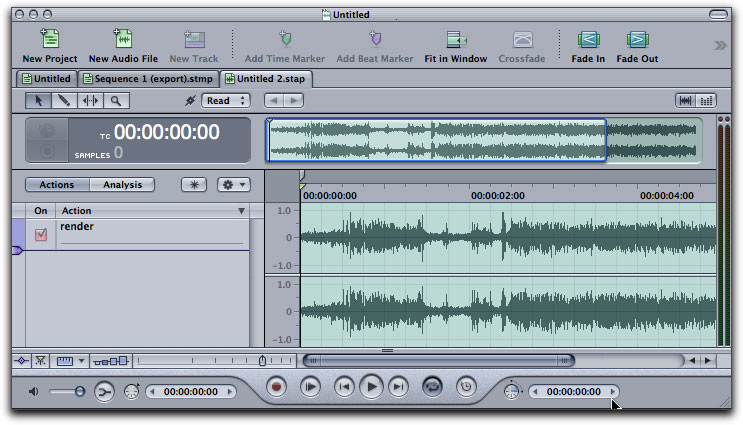
For our soundtrack we have used Soundtrack Pro - which is a music composing and audio editing application made by Apple Inc. which includes a collection of just over 5000 royalty free professional instrument loops and sound effects.
I think this programme was the hardest to use, even though it seems like it isn't hard to create a little piece of music using different instruments.
We've had to create a suspense with our sound, and we were working on it until we've finally decided that the sound we've made is good enough.

Digital Camera.


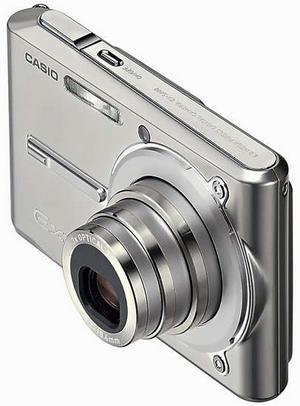
We have used a still Digital Camera to take pictures of two main characters - to show that they were very close, practically always together.
I enjoyed taking pictures, and they came up very nice and girlie.


LiveType.


For the Titles we used LiveType - the software developed by Apple Inc. to create animated title sequences for video projects. Livetype includes over 11GB of content including fonts, textures, objects, templated and effects. It can import any standard media files and can create text tracks whose style can be meticulously specified.
Using LiveType was hard, and even after using it for a time, we've had many problems with it as whenever we didn't save it properly and rendered it our titles were going Off Line and we were getting confused and angry. Although I think that LiveType is a very good and professional programme with a big range of effects.

With the jvc camera we filmed our film where we included many of the below
Camera Shots:-Over-The-Shoulder shot-
Medium Shott
-Point-Of-View
Editing:
-Panning
The most interesting thing i enjoyed was filming from a birds eye view.

Final Cut Pro.


In the opening of our thriller sequence, we have used Final Cut Pro - a professional non-linear editing software application developed by Apple Inc. Final Cut provides non-destructive editing of any Quick Time compatible video format. It supoprts an unlimited number of simultaneously composited video tracks, multi-camera editing for combining video from multiple camera sources. It comes with a range of video transitions and a range of video and audio filters such as keying tools and mattes.
I found it quite difficult to use, but the more I've been working with this programme the easier it has become. After we've finally edited all our clips and put them in the order, we had to put transitions in between them, because there were few jump cuts, and it didn't look good. Trying different transitions and playing with them was fun, also it made our video clip look much more professional.


We used this to take photos of still images that we used in our final film:


We used 'Live Type' to write our titles, 'Live Type' allowed us to use different fonts, colours and effects. Some of these effects included; Tinting the writing, adding shadowing and adding animation to our titles. The most interesting thing was how it came onto the screen.